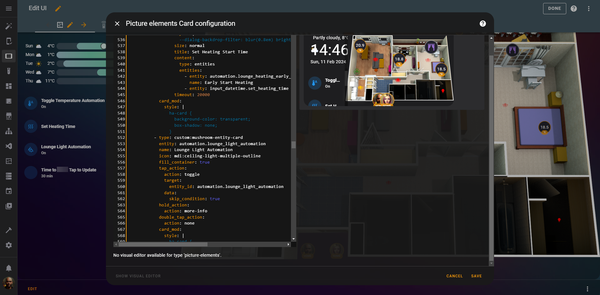
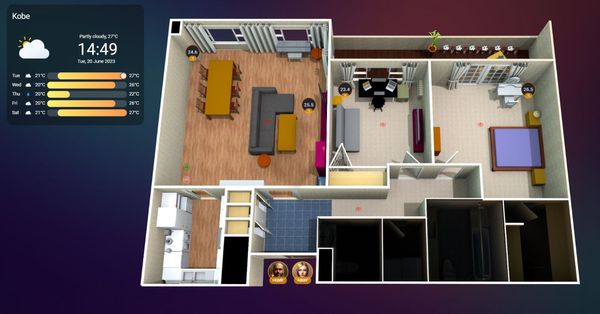
Home Assistant Creating your own Interactive Smart Home Floor Plan: Part 5 We've created our images. We've set up our smart devices, sensors and integrations. Everything is ready to be pulled together into one, cohesive dashboard. It's worth noting at this time that I don't know how you've named, labelled, or otherwise
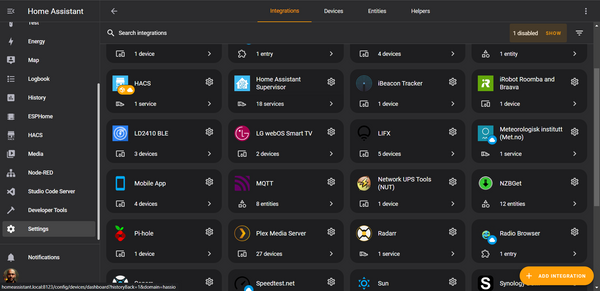
Home Assistant Part 4 of Creating your Interactive Smart Home Floor Plan This episode is going to focus on integrating your smart equipment into HA and understanding how it is referenced/used. Make sure to follow along, because in the next episode we'll finally be able to put all this together and create our workable dashboard layout. While there are
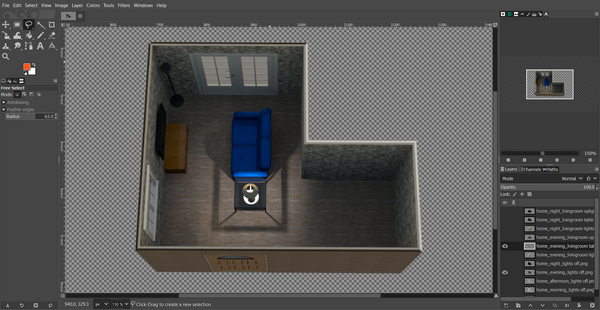
Home Assistant Creating your Interactive Smart Home Floor Plan: Part 3 Today we'll focus on fine tuning our images before we get into Home Assistant itself. Thanks for coming on this journey so far, only a little bit left to go. At this stage you should have a good understanding of what we're trying to achieve (because
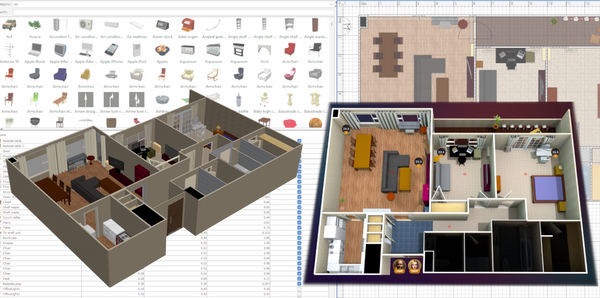
Home Assistant Creating your Interactive Smart Home Floor Plan: Part 2 Welcome to the second part of this series to create your own Interactive Smart Home FloorPlan. This episode of the guide will focus on creating your own floor plan in Sweet Home 3D, so if you've not already downloaded and opened it, go right ahead and do that,
Home Assistant Creating Your Interactive Smart Home Floor Plan: Part 1 First things first. This. Will. Consume you. I first came across Home Assistant (HA) 18 months ago (you can check out a post about that here which offers some tips for first steps setting it up) not long after buying my first NAS and discovering the joys of docker and
Home Assistant Home Assistant - first steps after installation 💡UPDATE 2023: Please note that the Supervisor tab referenced below has since been removed, and the Add-on store and installed apps can now be found in Settings > Add-ons If you're here, then you've probably already read up about Home Assistant and have a decent idea