Docker Setting up Ghost as a Static Site using GitHub and Cloudflare A quick and easy way to push your ghost blog as a static site to Cloudflare Pages using GitHub
Containers Automatically Start and Stop your Containers with Lazytainer My NAS is beginning to hurt. Sure it's a few years old now, the disks only a little younger, but I can see that some processes take a little longer, some services run a little slower. My CPU idles at 60%, and no matter how much RAM I
Docker Backup vs Sync explained: best practices for updating and protecting your Docker ecosystem If you've spent any time following the various guides on this (or any other similar) site, chances are you've got a number of containerized services up and running, including some pretty importatnt databases. Some of you may be happily living life, but others are starting to
Docker Moving the Docker package from one volume to another on Synology There's a lot of info out there about moving docker from one volume to another. Almost all of it unfortunately is for systems which differ from DSM, and although still Linux, do have some significant changes. The below will run through how to move the package across volumes,
Containers Wearing your docker.sock on your sleeve? Use a proxy instead Certain containers need access to your docker socket, which allows them to view and have access to all docker containers and settings. Portainer is a great example of this. One way of allowing this is to map the following volume to the container: volumes: - /var/run/docker.sock:/var/
General Featured Remote Status Monitoring for your Server A few months ago I wrote about how to set up a Google Cloud Platform instance onto which you could install a docker container called Uptime Kuma to monitor the status of services on your server. This is essentially the same but using a service called Fly.io, and while
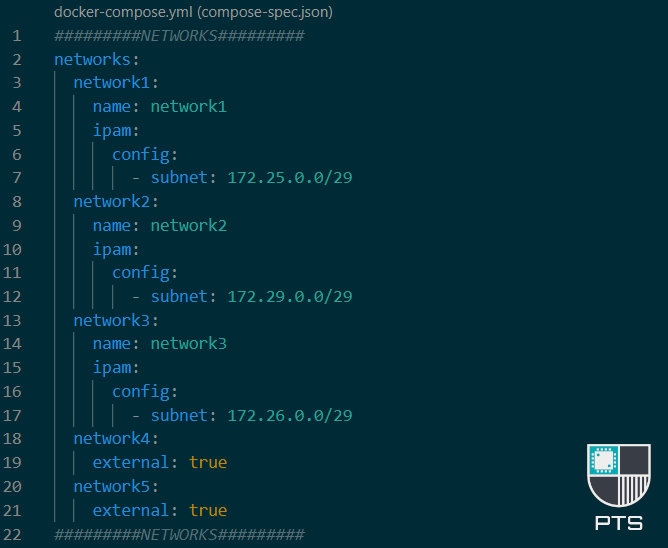
Docker Advanced Networking in Docker-Compose Networking in docker can be confusing. I've written some more basic info about it here which you can read before this article if necessary, and there's a little more on it here too under point 4, 'Define a network'. If you create a docker-compose
Docker Featured Getting the most out of docker-compose There are a number of ways to create your docker containers. You can use the docker run commands in SSH, you can use a proprietary system GUI such as the ones provided by Synology or UnRaid systems, or, you can use docker-compose. If you're reading this I'
Docker Getting Started With Docker Disclaimer I am not a developer, nor do I work with dockerfile. I do not create or manage or maintain docker images, and in almost every use case I have I will only ever pull an image rather than use docker build or clone the repository. The following is purely
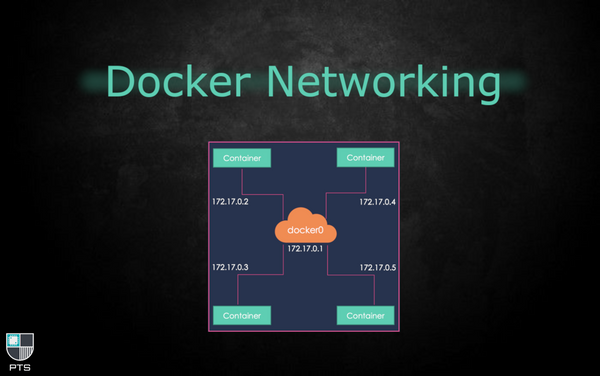
Docker Docker Networks Networking in docker can be confusing. Containers can connect to one or more docker networks (not to be confused with your home LAN network) at any given time. As in the cover image for this post, the IP address of your docker (bridge) networks will start with 172. Traditionally, the
Docker How to Install a Container There are a number of ways you can install a container. Here we'll cover the main methods. Synology Docker Package UI If you don't have a Synology NAS then move on to the next method. The docker package installation for Synology DSM comes with its own
Synology Migrating Plex ...From Synology to Docker 💡UPDATE: This post was written in the early days of DSM 7, however the methods for migrating your PMS to docker (or even docker to docker) are still the same Given the challenges the Plex team has faced in delivering a stable native Synology package from